

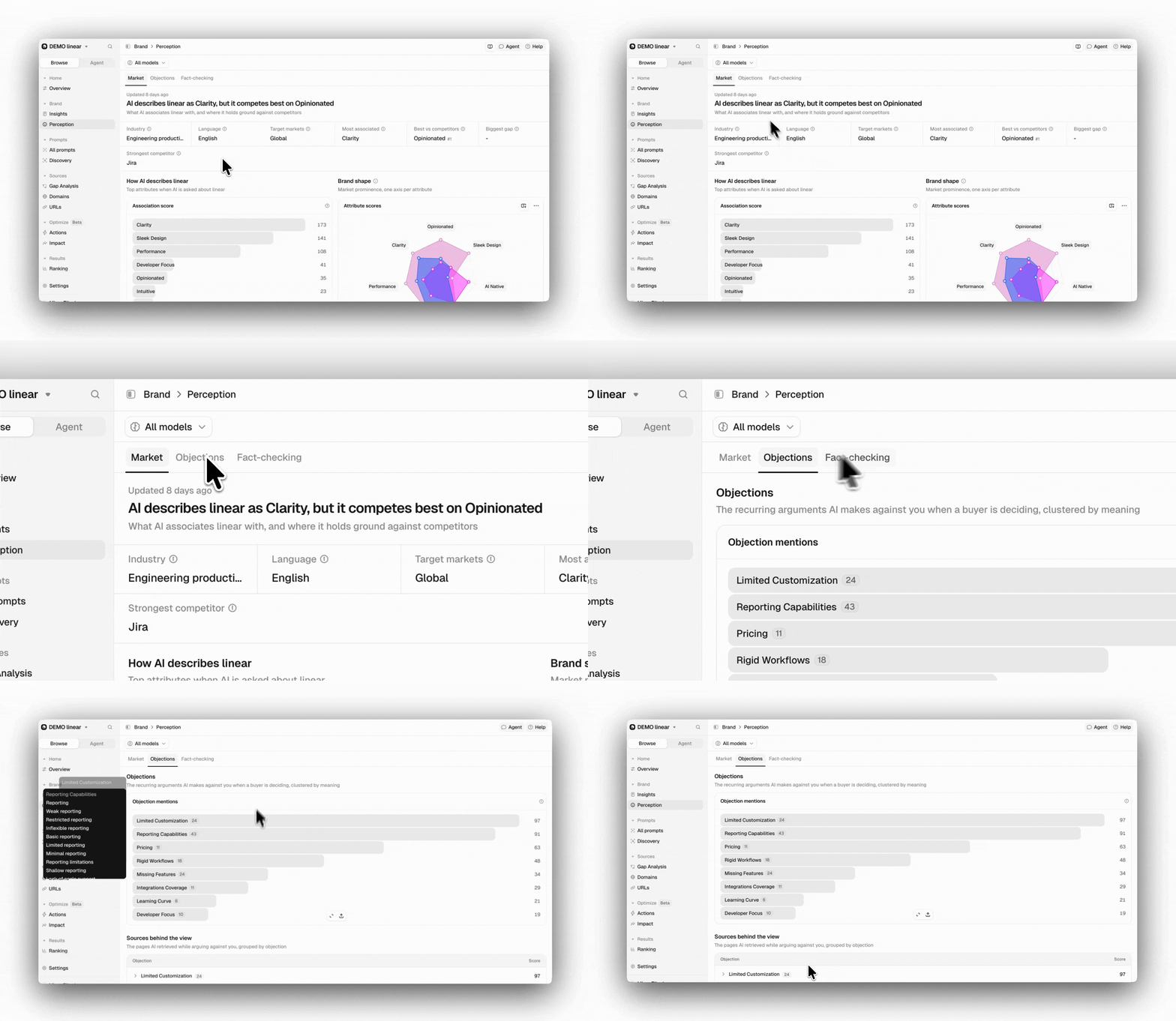
Objections uses its own set of AI-generated answers, independent of your tracked prompts. Adding or removing prompts won’t affect the results shown here.
Use the model filter to compare how different AI models argue against your brand. The date range filter does not apply, because the analysis covers every Objections run completed for your brand.
Use the model filter to compare how different AI models argue against your brand. The date range filter does not apply, because the analysis covers every Objections run completed for your brand.
Objection mentions
Each bar is an objection, scored from 0 to 100 based on how prominently AI raises it. An objection mentioned first scores 100, and the score drops by 10 points for each lower position in the answer. An objection mentioned tenth scores 10, and anything ranked below tenth scores 0. Answers where an objection isn’t mentioned also pull its overall score down, because the score is averaged across every completed run, not only the runs that raised it. The score reflects both how often an objection appears and how early AI mentions it. A score close to 100 means AI raises that objection consistently and near the beginning of its answers. If an objection has a mid-range score, expand it before drawing conclusions. The same score can mean the objection is raised very early in some answers but not at all in others, or that it’s mentioned later in almost every answer. Use the model filter to tell those apart.Sources behind the view
The objections again, this time as a list with each one’s Score, expanding into the pages AI retrieved while raising it. A page is tied to the specific objection it supports rather than to the view as a whole.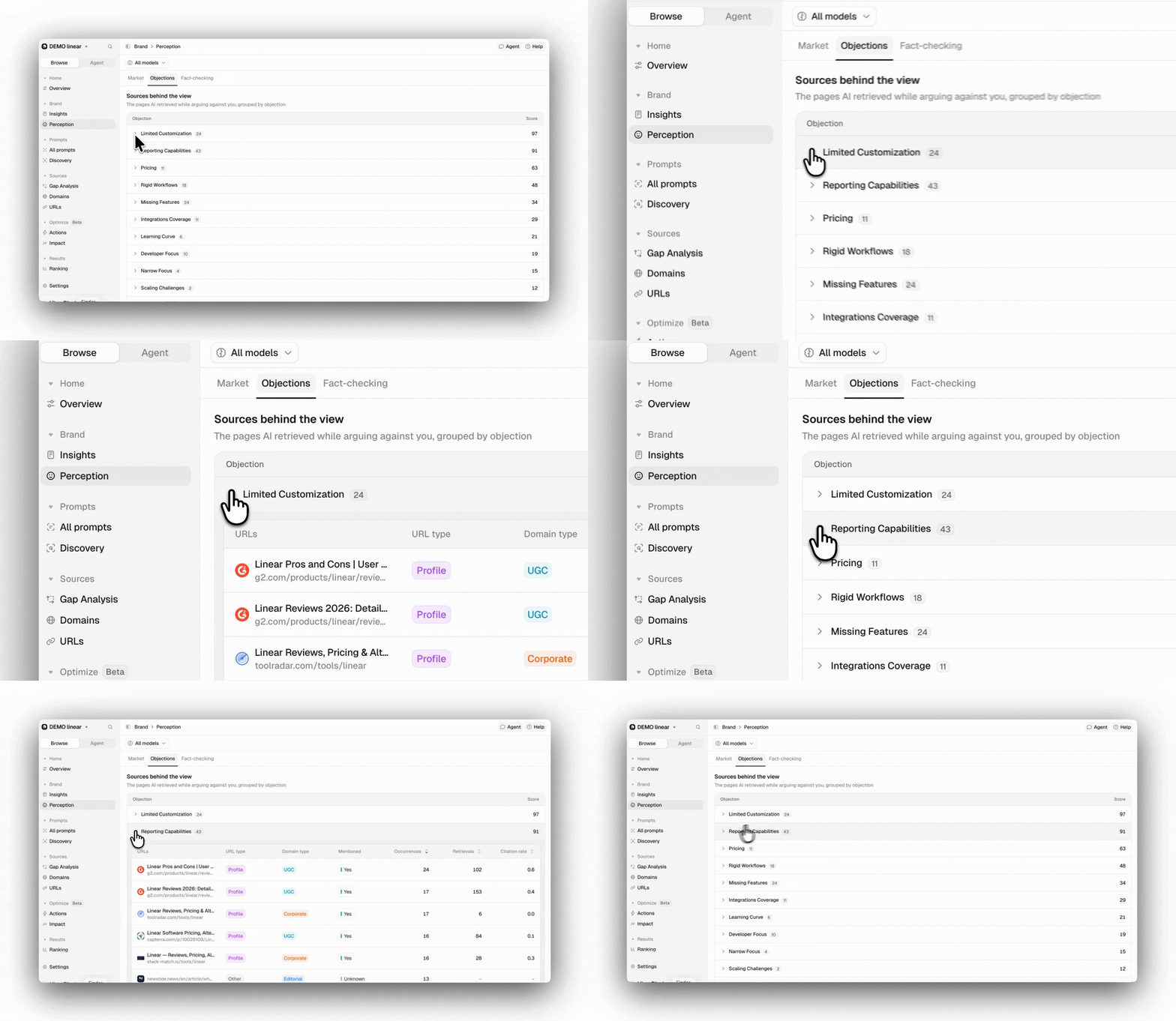
- URLs: The page itself, with a link out to it.
- URL type and Domain type: How the page and its domain are classified.
- Mentioned: Whether your brand appears in the content of the page. A page Peec couldn’t read shows as unknown rather than as a No.
- Occurrences: How many of that objection’s answers cited the page. This comes from the Objections analyses themselves.
- Retrievals: How many distinct chats in your tracked prompts retrieved the page. This comes from your regular prompt tracking, so it counts every context the page surfaced in, not only the ones where AI argued against you.
- Citation rate: The average number of times this page was cited when it was retrieved. This is an average, so it can be greater than 1.
Retrievals and Citation rate come from your tracked prompts, so a page you don’t track shows a dash in both, and its row won’t open. A page can have high Occurrences and still show a dash for Citation rate: AI used it in the Objections analyses, but it hasn’t appeared in your tracked prompts yet, so there’s nothing to average.
Terms
The exact words AI used when arguing against you: each Term, the Objection it was grouped into, its Occurrences, and the Models that used it. Search it when you’re checking for a specific phrase, and sort by Occurrences to see which wording comes up most.Best practices
- Read the sources before taking action: An objection is only actionable once you know which pages AI is drawing it from.
- Check the phrasings behind a bar: The grouped terms often show the objection is narrower, or broader, than its label suggests.
- Investigate mid-range scores: Use the model filter to see whether an objection is driven by one AI model or appears consistently across all models.
- Separate the true objections from the false ones: A false objection is a content and PR problem. A true one is product feedback you rarely get any other way.