

Watch “Understanding chats” on YouTube
Chats are the AI-generated responses Peec AI produces by running your prompts daily across different platforms. Understanding a chat’s anatomy matters, because these responses are the basis for all dashboard metrics, source data, and competitive analysis. Every visibility score, position ranking, and source classification starts with an analysis of these individual conversations.
Anatomy of a chat
You’ll find recent chats on your Overview dashboard, but you can view the last 100 chats for each prompt by clicking on the individual prompt. Each chat contains specific elements that Peec AI analyzes to generate your metrics and insights:- Created: Whether the prompt ran successfully.
- Model: Which AI platform generated the response (ChatGPT, Claude, Gemini, and so on).
- Location: The geographic location Peec AI prompted from (for example, United States).
- Sentiment: How the AI model talks about your brand, positively, neutrally, or negatively (a score between 0 and 100).
- Main response: The actual AI-generated answer to your prompt.
- Brands mentioned: Shows which brands (including yours) were mentioned and where in the response.
- Query fanouts: Shows the query fanouts performed by the model when generating the answer for a specific prompt.
- Sources sidebar: All URLs the AI model referenced or cited when creating the response.

Sources vs citations
Not all sources are citations, but every citation is a source. Understanding this distinction helps you interpret your data correctly.- Citations: Sources explicitly referenced within the AI response text. They appear as in-line mentions in the response body, indicating the AI used specific information from that URL for particular sentences or sections.
- Sources: All URLs the AI model accessed while generating the response. This includes citations plus additional sources the AI considered but didn’t explicitly reference. Sources appear in the sidebar, and often at the bottom of a chat, even when not directly cited.
How AI platforms behave
Different AI models handle sources and citations differently, which affects your data patterns:- ChatGPT: Sometimes performs web searches and sometimes doesn’t. When it doesn’t search the web, you’ll see responses with no sources listed. This is normal model behaviour, not a data issue.
- Claude and other models: Each has unique patterns for how they search, cite, and reference sources.
Reading chat position rankings
When multiple brands appear in a chat, Peec AI calculates position based on mention order, including all detected brands, not just your tracked competitors. For example, if a chat mentions Hyundai (1st), Chevrolet (2nd), and BMW (3rd), BMW ranks in position 3. If tomorrow’s chat mentions Hyundai, Chevrolet, Ferrari, and BMW, then even though you haven’t added Ferrari as a competitor, BMW’s position becomes 4th. A stronger position (closer to 1) indicates that AI models consider your brand to be:- The most authoritative source for the topic.
- The go-to reference in your industry.
- Highly relevant to the user’s query.
Review chats regularly to understand how AI models reference your brand and competitors. This helps you spot patterns, discover new competitor names to track, and identify sources worth targeting for outreach.
You can also export all chats generated on your account so far via the Project tab. You can use this export to further analyze the responses and make your own report.
Chat features
Chat features are structured flags attached to every chat, showing you at a glance what type of content an AI model included in its response: whether a chat contains ads, maps, shopping results, or a live web search. Every time Peec AI runs a prompt, the AI model’s response can contain more than text. It might serve a sponsored ad, pull up a local business map, or run a live web search before answering. These extras are called features, and they matter because they tell you what kind of result your prompt is actually triggering. For example, a prompt-driven ad placement means your topic is already being monetized by AI. A prompt that pulls up maps means the AI is treating it as a local discovery query.Available features
Each chat can carry any combination of these features:- Ads: The AI model included a sponsored placement. Useful for understanding monetization pressure on your topics.
- Maps: The AI returned a local business map result. Common for location-based queries.
- Web search: The AI performed a live web search to generate the response, rather than answering from its own training data.
- Shopping: The AI included product or shopping results
- Product comparison: Chats in which the AI makes comparisons between two or more brands
Where to find features
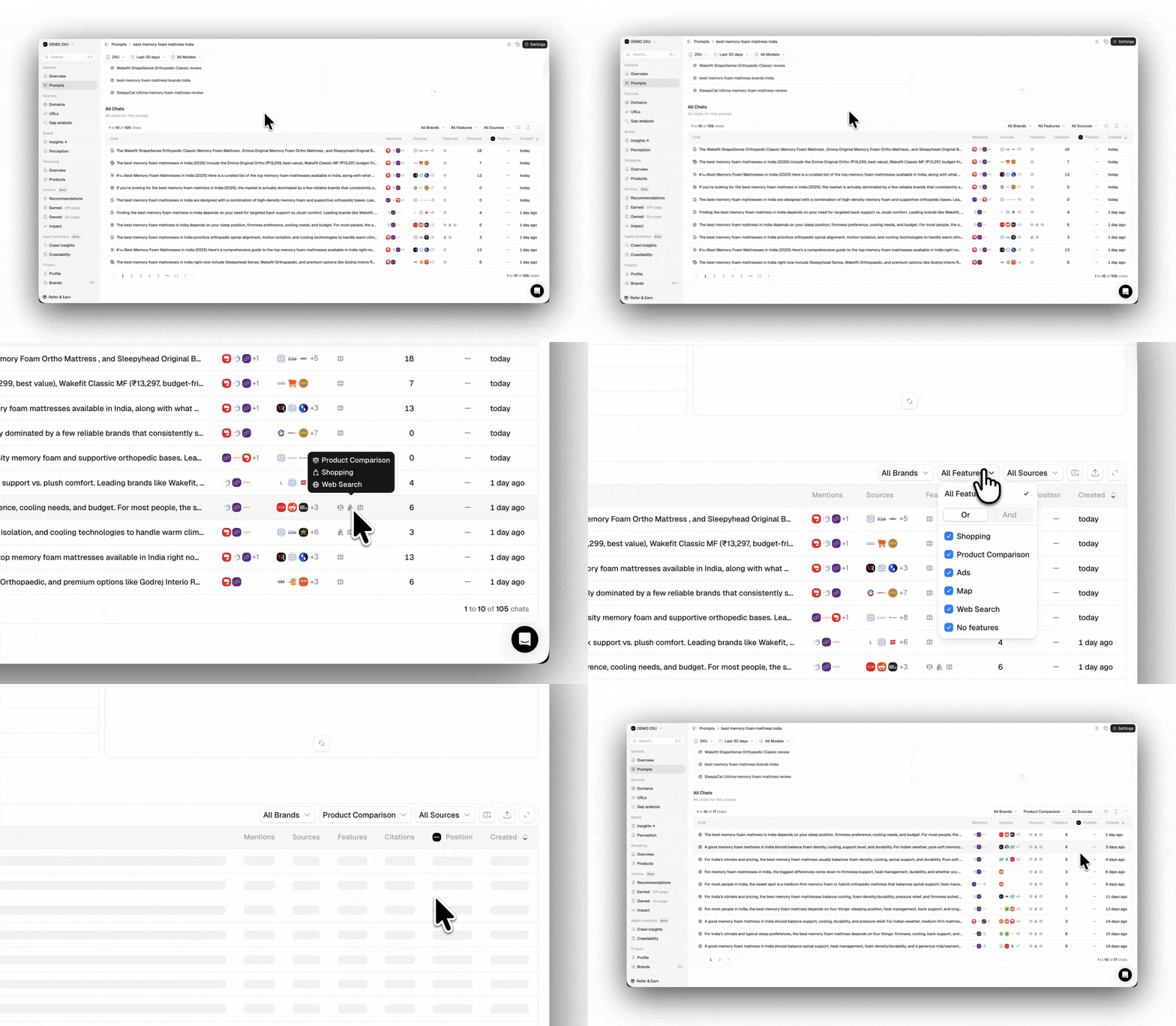
Features appear in two places:- All chats table: Each chat row displays its features as visual flags. Use the dropdown filter at the top of the table to show only chats matching specific feature types (for example, only chats that included ads, or only chats where web search was used).
- Prompts and Topics tables: Each prompt and topic shows aggregated feature percentages. For example, you might see that 42% of chats for a given prompt included ads, or that 80% triggered a web search. This helps you quickly identify which prompts drive which response types without opening individual chats.
Filtering by features
In the All Chats table, click Filter, then select any feature to narrow the list. A few ways to use this:- Filter to Ads to see every response where your brand appeared alongside paid placements.
- Filter to Maps to identify which prompts are driving local discovery results.
- Filter to Web search to focus on chats where the AI actively looked things up; these tend to have more recent, source-driven content.
- Combine multiple filters to find chats with overlapping features, such as shopping and web search.
All chat features, ads, maps, shopping, web search, and feature flags are available through the Peec API and MCP. You can filter by feature type the same way you filter by model, country, or date range.