

Watch “New in Peec AI: AI Referrals & My Website” in Youtube
While the rest of Peec AI tracks how often you are mentioned or cited inside AI responses, AI Referrals tracks what happens next: whether that visibility turns into visits to your site, and whether those visitors engage with your content.
AI Referrals lives inside Agent Analytics, alongside Crawl Insights and Crawlability. The distinction between them: AI Referrals covers human visits arriving from AI assistants, while Crawl Insights covers bot activity.
Overview
The Overview tab gives you a quick snapshot of your AI-referred traffic, including which AI assistants drive the most visits to your website.- KPI cards: Total Sessions, Conversions, Conversion rate, Engagement rate, and Revenue.
- AI traffic: A line chart broken out by AI assistant (ChatGPT, Copilot, Perplexity, Gemini, Claude, Deepseek, and others), with Daily, Weekly, and Monthly granularity toggles and a metric selector.
- Breakdowns: AI referral metrics by source, landing page, country, and device.
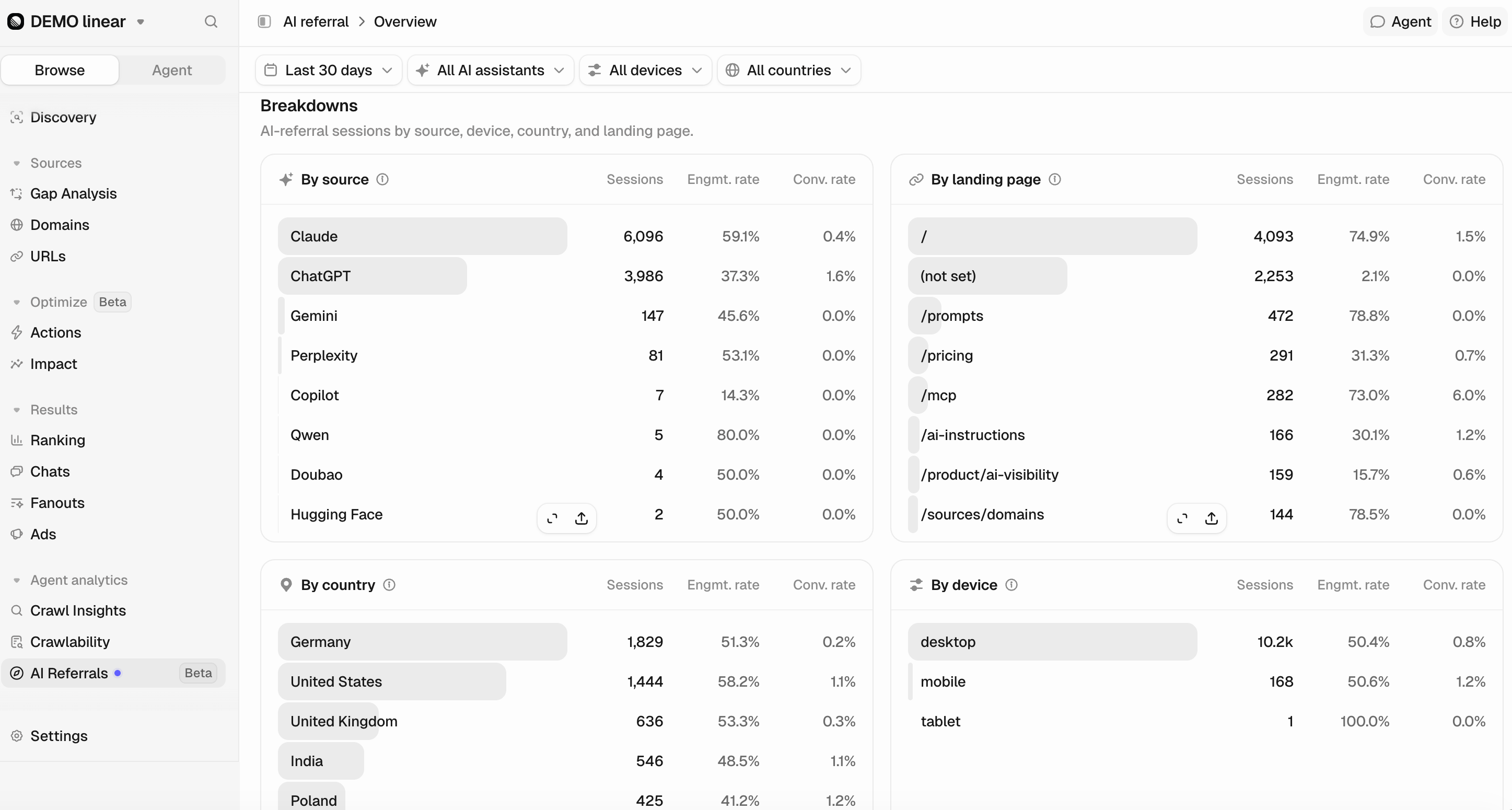
AI Referrals combines Google Analytics 4’s native AI-assistant classification with Peec’s own regex-based detection, so referrals are captured even where GA4’s default grouping might miss them.
Metrics
Sessions: A session is a visit to your website that begins when a user arrives and ends after 30 minutes of inactivity or at midnight. It can include multiple page views and events. In this report, only sessions attributed to an AI assistant are counted. Session starts: A session_start event in GA4 is an automatic event that signals the beginning of a user’s active visit to your website. This is another proxy for referred visits, and the two commonly show somewhat different values. One reason is that GA4 sometimes registers a session but fails to log the start event. Conversions: A conversion is a key event. A key event in GA4 is a user interaction you define as important: a purchase, a lead generation event like submitting a contact or sign-up form, or a newsletter sign-up. What counts as a conversion here depends on what you designate as a key event in your GA4 account. Conversion rate: Conversion rate is the percentage of sessions with one or more conversions. In GA4, this is called the session key event rate. You must mark the event you want to track as a key event, otherwise this metric shows no data. Engagement rate: Engagement rate is the percentage of sessions that are engaged sessions. A session counts as engaged if any of these are true:- It lasts 10 seconds or longer.
- It has one or more conversion events.
- It has two or more page views.
Details
The Details tab breaks AI-referred traffic down further, in two parts: Channels and Landing pages.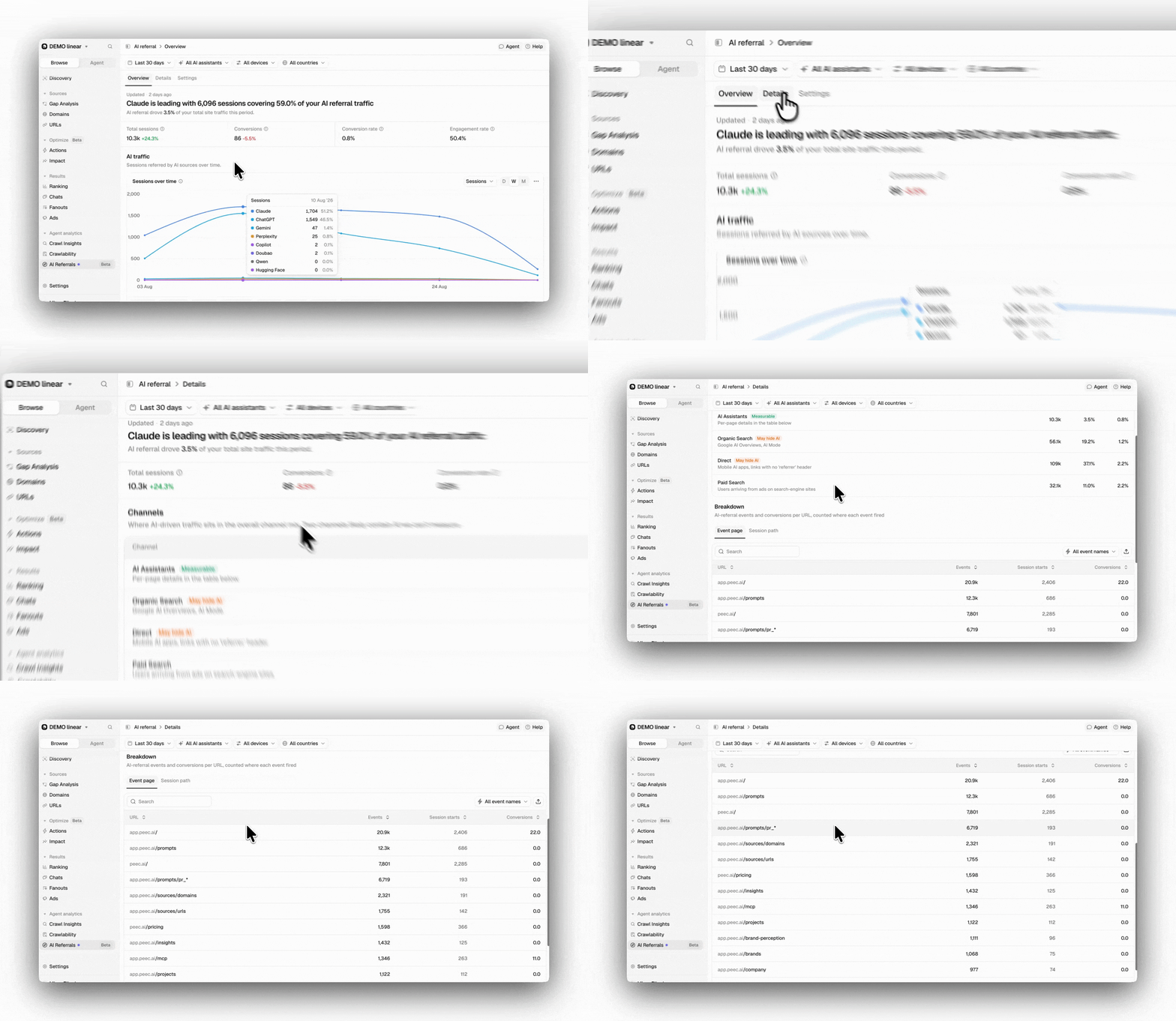
Channels
Shows where AI-driven traffic sits in the overall channel mix, and flags the channels that likely contain AI traffic Peec AI cannot measure directly:- AI Assistants: The AI-referred sessions shown throughout this feature.
- Organic Search: Google AI Overviews and AI Mode results are classified as organic search by GA4, not as AI referral, so this channel likely contains AI-driven visits that do not show up under AI Assistants.
- Direct: Mobile AI apps, or links opened from an AI tool that do not pass a referrer header, land here instead of under AI Assistants.
- Paid Search: Traffic from ads on search engine sites, shown for comparison.
Breakdown
A detailed breakdown of AI-referred traffic and engagement for each landing page. Toggle between URLs and Paths. Event page: This table view shows only event-scoped occurrences and metrics, such as Events, Session starts, Conversions, and (if available) Revenue. These map cleanly to individual host and path combinations. Session path: This table view shows a mix of session-scoped and event-scoped occurrences and metrics: Sessions, Session starts, Engagement rate, Avg. engagement time, Conversions, Conversion rate, and Revenue. If your GA4 property spans multiple subdomains, or domains that share the same path, metrics are aggregated across those domains at the path level; open the dropdown to see certain metrics broken down by host. Why metrics differ across these views In the Event page breakdown, the session start and other events, including key events (conversions) and revenue, are directly attributable to that URL. In the Session path breakdown, the values are scoped to the page Google attributed the session to. So a transaction may have taken place on another URL within the same session that is attributed to that landing page.Settings
Manage the Google Analytics connection powering your AI referrals data.- Connection: The Google Analytics account, property, and web data stream this project reads from. Shows the connected Google account email, the GA4 property (with its account name), and the data stream (with its measurement ID).
- Reauthentication: Invalidates the stored access and re-links the Google account, keeping the same property and stream.
- Danger zone: Permanently deletes all AI referrals data and removes the integration.