- Source retrievals over time: Shows trends over time for the top 5 URLs, helping you track which specific pages gain or lose influence with AI models.
- URL movers graph: Lists URLs sorted by number of retrievals. You can toggle through different views:
- Top: URLs with the highest number of retrievals in the selected timeframe
- New: URLs retrieved for the first time in the selected timeframe
- Trending: URLs showing the fastest growth in retrieval activity
- Losing: URLs showing the largest decline in retrieval activity
- Sources Type chart: A category breakdown covering website page types, such as Article, Comparison, Listicle, Product Page, and others.
- URL: The exact webpage used as a source.
- URL Type: Automatic classification of the specific page type (Homepage, Article, Listicle, Comparison, Profile, etc.).
- Mentions: Which brands were mentioned on this specific URL.
- Retrievals: Total number of times this URL appeared as a source across all chats.
- Citation Rate: Average number of times the URL was explicitly cited when used (in your selected time period).
- Updated: The latest time we fetched content from this URL.
URL types
URL Type offers a more granular classification by identifying the specific type of content on a given page. This allows for a deeper analysis of the context in which your brand is mentioned.Changing URL classification
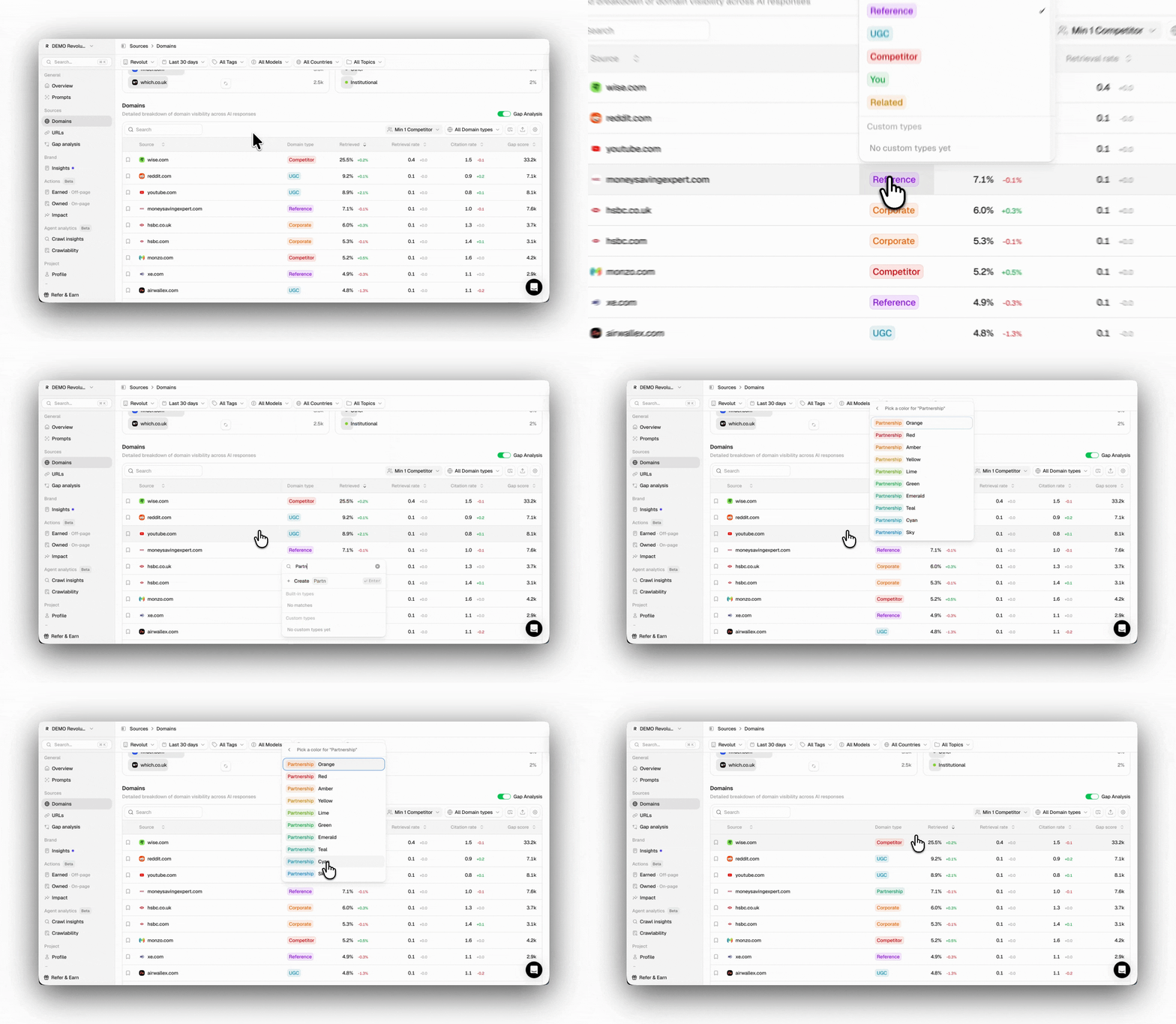
Peec automatically classifies every URL based on its content, but we know your taxonomy may differ from ours. For example, a URL we label as “Product Page” might actually be a “Listicle”. With custom classification, you can now apply your own labels to every URL. You can override this at any time:- Find the URL in the URL table.
- Click the classification label on that row (e.g., Listicle, Comparison, etc.).
- A search-first picker opens, search existing types (including any custom ones you’ve created), or create a new one inline.
- The override saves immediately and appears everywhere the source appears.
URL metrics
On the URL page, you will see key metrics such as Retrievals and Citation Rate..png?fit=max&auto=format&n=lqSqnLuXOfq79bF-&q=85&s=abc119300345f7d3438857b08ab9d267)
Retrievals
Retrievals is the total number of times a URL was used as a source, regardless of whether it was cited directly in the AI’s main answer. This metric indicates which URLs are most popular and most credible to AI models. Retrievals over your selected timespan are calculated as:Retrievals (URLs) = Total responses where URL was used as a source
Citation rate
Citation Rate measures the average number of times a specific source is explicitly cited within AI responses over the last 7 days. This metric indicates how often AI models find your content relevant enough to reference multiple times. Multiple citations in a single response indicate that AI models consider your content highly relevant and trustworthy for the topic at hand. The citation rate is calculated over your selected timespan as:Citation Rate (URLs) = Total citations of that URL / Total responses where URL was used as a source
URLs detail page
When you open the URLs section, you see a list of pages that have been used as a source by the different AI models in their answers. Clicking any URL takes you to its Detail Page, providing further insights into how the models have used it. You can open this detail page for each URL by clicking it.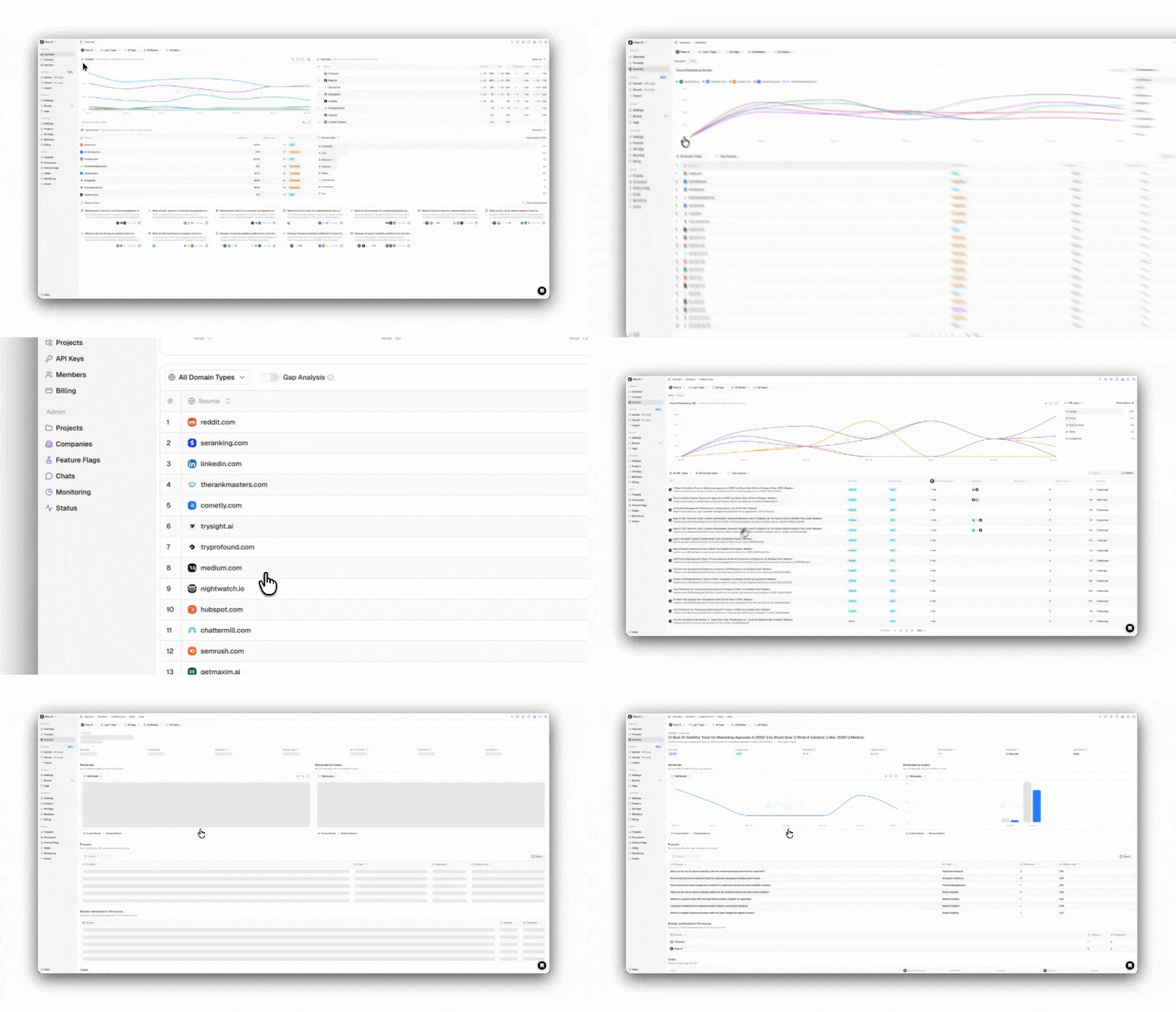
- URL and Title: The page title that is being pulled as a source, and the URL that you can visit.
- URL Overview: Different metrics and information, such as citation rate, retrievals, number of prompts currently using the page, and first and last time the URL was seen, with their respective absolute change compared to the previous period you are filtering for.
- Retrievals Chart: Line chart showing the number of times that URL appeared as a source in AI answers over time (by default, 7 days) and the respective period comparison
- Retrievals by Model: Bar chart breaking down retrievals by the AI model you are currently tracking
- Prompts Table: Which prompts triggered this URL as a source, regardless of whether it was cited or not, and to which topic does that prompt belong
- Brands Mentioned: Which brands appear in the source content, and how frequently
- Chats: The actual AI answers where this URL was cited or used as a source
- Track citation changes over time to know when to push more content on a topic, or pull back.
- Compare model usage across periods to decide where to optimize
- Study the prompts driving citations to reverse-engineer what questions are making this source relevant
Bookmarking URLs
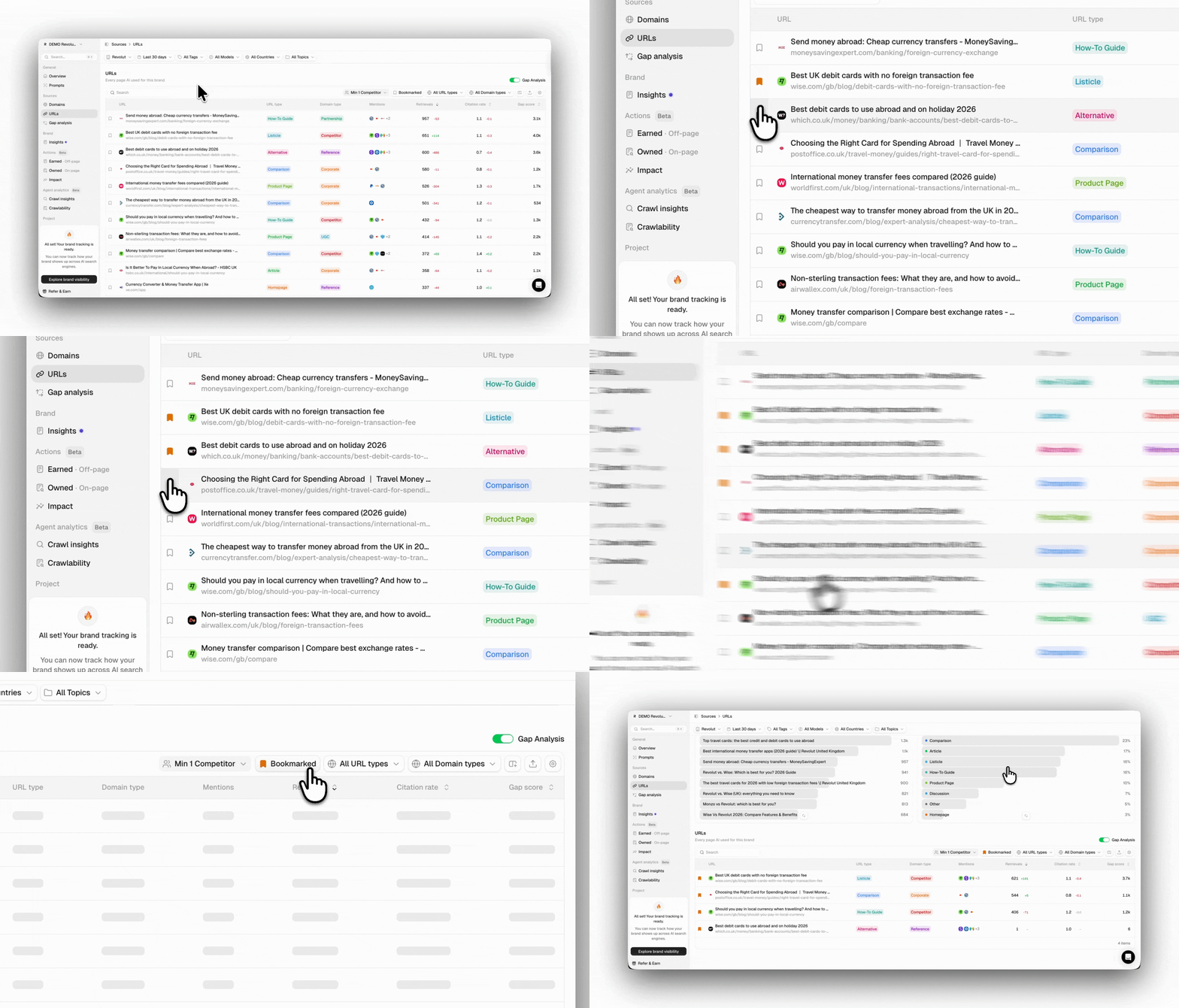
Within Peec, you can bookmark URLs to build a personalized watchlist of sites you want to monitor closely, such as key competitors, your top owned assets, target publications for outreach, or any other URLs that matter to you. Bookmarking a URL is simple: Every source row has a bookmark icon in the left column. Clicking it adds the source to your watchlist under the tab Bookmarked.