> ## Documentation Index
> Fetch the complete documentation index at: https://docs.peec.ai/llms.txt
> Use this file to discover all available pages before exploring further.
# Win rate
> How often AI names your brand first.
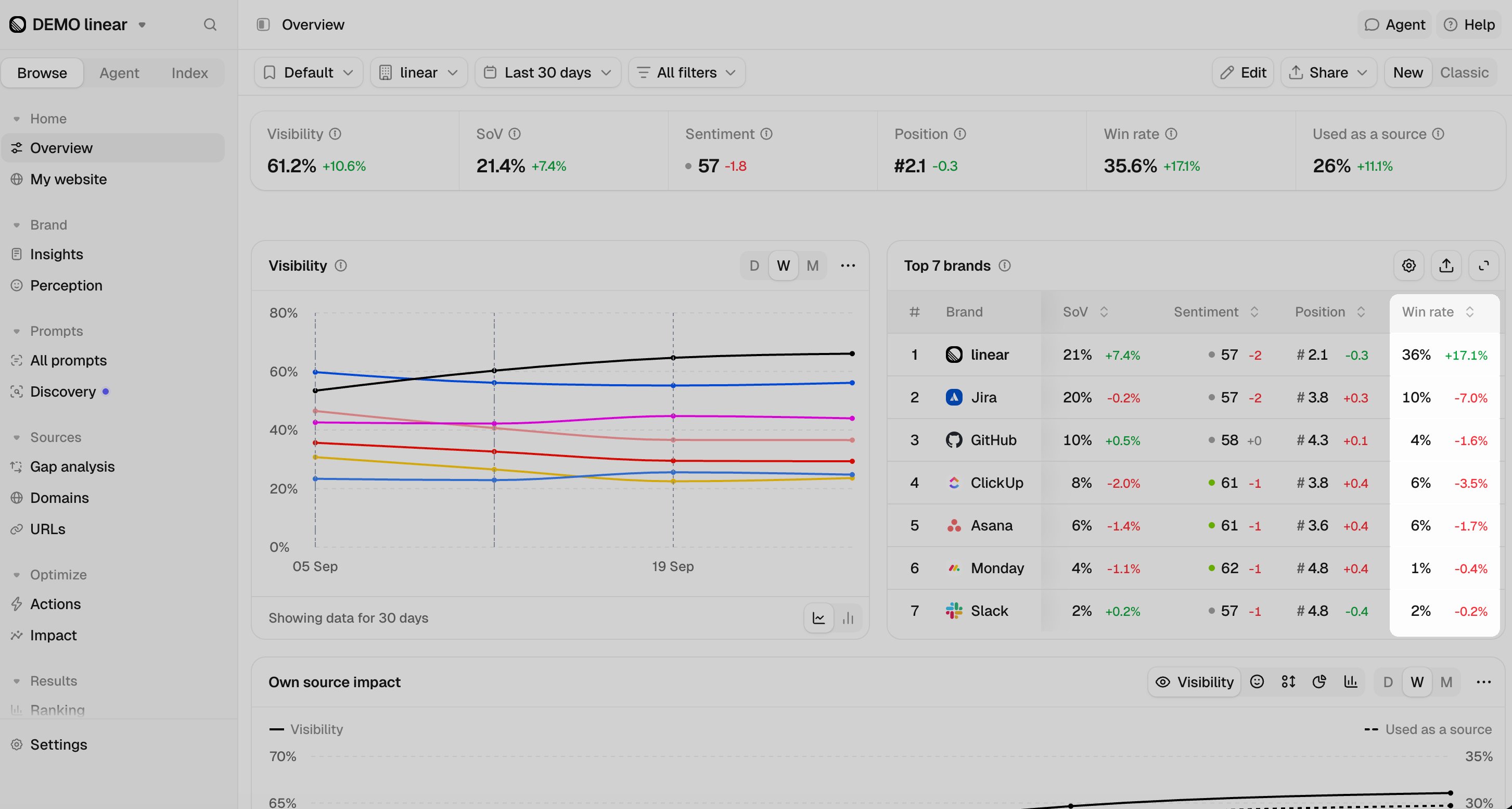 **Win rate** measures the share of AI answers where your brand is ranked first, ahead of every other brand the answer names.
## How win rate is calculated
Win rate is calculated as:
```text theme={null}
Win rate = (Chats where your brand is ranked first) / (Total chats) × 100
```
A chat counts as a **win** when your brand is mentioned and ranks in **Position 1**. The total includes all chats within your selected date range and filters, including those where your brand isn’t mentioned.
Rankings include **every brand detected in the response**, not just your tracked competitors. If an untracked brand ranks ahead of yours, the chat will not count as a win.
## How win rate differs from visibility and position
* **Visibility:** Measures the percentage of chats that mention your brand. **Win rate** measures the subset where your brand ranks in **Position 1**, so your Win Rate can never be higher than your Visibility.
* **Position:** Measures your average rank across chats where your brand is mentioned. **Win rate** is calculated across all chats, so a chat that doesn’t mention your brand lowers your Win rate but doesn’t affect your Position.
For example, your brand appears in 6 of 10 chats. It's ranked first in 3 of them and second in the other 3:
* **Visibility:** 60%
* **Position:** 1.5
* **Win rate:** 30% `(3 / 10 × 100)`
## Where to find win rate
* **Overview:** Click **Edit**, then turn on **Win rate** under the **Metrics** tab to add it to your Overview. The **Top brands** table shows the Win Rate for your brand and your competitors.
* **Prompts:** Turn on the **Win rate** column in the table settings to see your Win Rate for each prompt over the selected period, along with the change from the previous period. You can also sort your topics by Win rate.
* **Insights:** Win rate appears in the summary at the top of the page. Select **Win rate** in the performance matrix to compare it across any two dimensions.
* **API and MCP:** The brands report returns `win_rate` and `win_count`. To combine rows, divide the sum of `win_count` by the sum of `visibility_total`.
Compare **Win rate** with **Visibility** for each prompt. If a prompt has high Visibility but a low Win rate, your brand is appearing in the answer, but another brand is ranking ahead of it.
## Related metrics
Understand how often your brand is mentioned in AI responses.
See where your brand typically ranks when it's mentioned.
This documentation is built and hosted on [Mintlify](https://mintlify.com), a developer documentation platform.
**Win rate** measures the share of AI answers where your brand is ranked first, ahead of every other brand the answer names.
## How win rate is calculated
Win rate is calculated as:
```text theme={null}
Win rate = (Chats where your brand is ranked first) / (Total chats) × 100
```
A chat counts as a **win** when your brand is mentioned and ranks in **Position 1**. The total includes all chats within your selected date range and filters, including those where your brand isn’t mentioned.
Rankings include **every brand detected in the response**, not just your tracked competitors. If an untracked brand ranks ahead of yours, the chat will not count as a win.
## How win rate differs from visibility and position
* **Visibility:** Measures the percentage of chats that mention your brand. **Win rate** measures the subset where your brand ranks in **Position 1**, so your Win Rate can never be higher than your Visibility.
* **Position:** Measures your average rank across chats where your brand is mentioned. **Win rate** is calculated across all chats, so a chat that doesn’t mention your brand lowers your Win rate but doesn’t affect your Position.
For example, your brand appears in 6 of 10 chats. It's ranked first in 3 of them and second in the other 3:
* **Visibility:** 60%
* **Position:** 1.5
* **Win rate:** 30% `(3 / 10 × 100)`
## Where to find win rate
* **Overview:** Click **Edit**, then turn on **Win rate** under the **Metrics** tab to add it to your Overview. The **Top brands** table shows the Win Rate for your brand and your competitors.
* **Prompts:** Turn on the **Win rate** column in the table settings to see your Win Rate for each prompt over the selected period, along with the change from the previous period. You can also sort your topics by Win rate.
* **Insights:** Win rate appears in the summary at the top of the page. Select **Win rate** in the performance matrix to compare it across any two dimensions.
* **API and MCP:** The brands report returns `win_rate` and `win_count`. To combine rows, divide the sum of `win_count` by the sum of `visibility_total`.
Compare **Win rate** with **Visibility** for each prompt. If a prompt has high Visibility but a low Win rate, your brand is appearing in the answer, but another brand is ranking ahead of it.
## Related metrics
Understand how often your brand is mentioned in AI responses.
See where your brand typically ranks when it's mentioned.
This documentation is built and hosted on [Mintlify](https://mintlify.com), a developer documentation platform.